Compendium
Reference · Compendium
On this page Official vs. homebrew SRD 2014 vs. 2024 Shared across campaigns Creating a homebrew entry Portraits Using homebrew in a fight Sharing with another install Term highlighting Quick search
A built-in D&D 5e SRD reference, shared across all your campaigns rather than being campaign-specific. Browse by category (monsters, spells, conditions, equipment, magic items, plus rules and glossary sections), or search across everything at once. On top of the official reference, you can add your own homebrew content that lives alongside it.
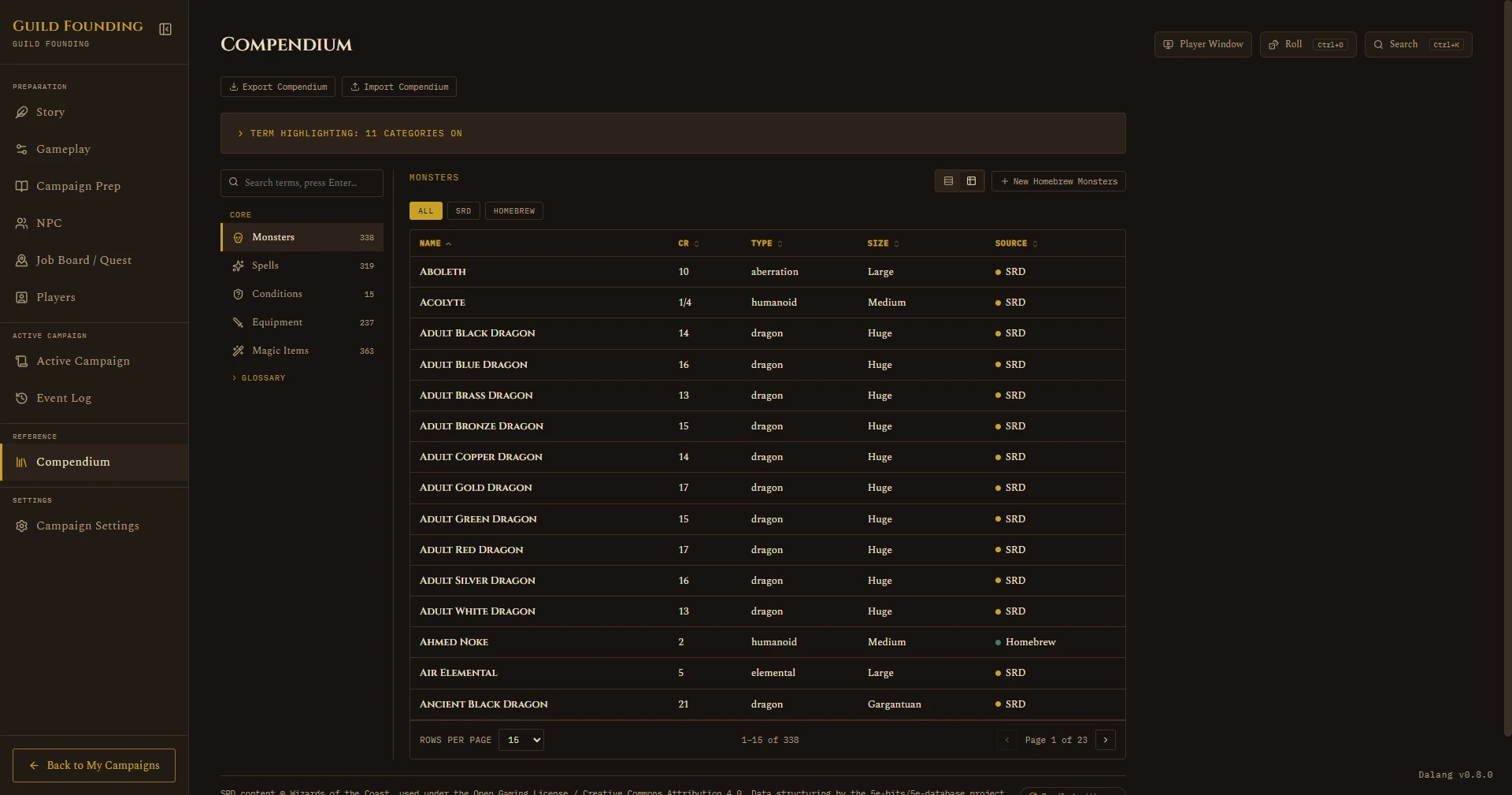
Monsters, Spells, Equipment, and Magic Items open in a sortable table by default, with a rows-per-page control (10/15/30/100, defaults to 15) at the bottom once a category has more entries than fit on one page.
Official content vs. homebrew
Official content (SRD) is the built-in rules reference, the same Goblins, Fireballs, and Longswords in every install. You can browse it and search it, but you can't edit or delete it, it's meant to stay accurate to the real rules.
Homebrew content is what you create yourself: your own custom monsters, magic items, and equipment. It shows up mixed in with the official entries in the same lists, with a small "HB" tag next to the name so you can tell it apart at a glance. Unlike official content, you can edit or delete your homebrew entries any time.
Only three categories support homebrew right now: Monsters, Magic Items, and Equipment. Spells, Conditions, Rules, and the rest of the reference categories are official-content-only for now.
SRD 2014 vs. 2024
Dalang's reference data is compiled and cross-checked in-house, drawn from the official SRD text and checked against multiple community sources rather than trusted from any single one, instead of vendoring a third-party dataset directly.
Monsters, Spells, Conditions, and Weapon Properties are available in both the 2014 rules (SRD 5.1) and the 2024 rules (SRD 5.2.1). Both editions show together in these categories, tagged so you always know which one you're looking at, and the source filter lets you narrow to just one edition if you'd rather not see both.
Equipment and Magic Items are still 2014 only for now, matching item variants cleanly between the two editions needs its own pass before they can be added. The rest of the reference (Rules, Rule Sections, Damage Types, Skills, Languages, Ability Scores, Magic Schools) is 2014 only as well. 2024 coverage will keep expanding as more categories get compiled and cross-checked.
An NPC or Encounter link to a Monster remembers which edition it points to, so a link made before 2024 data existed keeps showing the same 2014 stats it always did, it won't silently switch editions just because both are now available.
Creating a homebrew entry
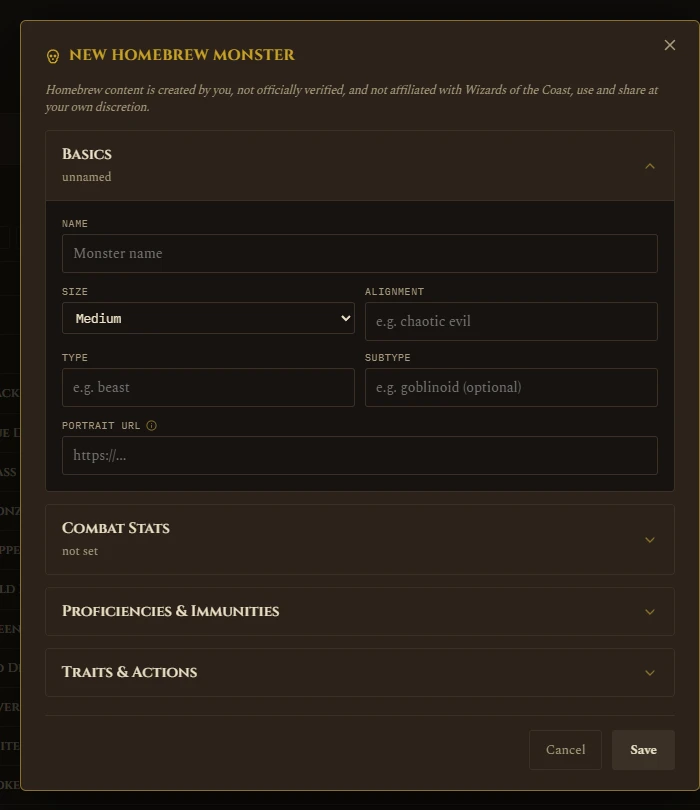
- Open the Compendium tab and pick Monsters, Magic Items, or Equipment.
- Click + New Homebrew [Category] above the list.
- Fill in whatever fields apply, name is the only one required.
- Save. It appears in the list right away, tagged "HB".
Click any homebrew entry to view it, then use the Edit or Delete buttons on its detail page. Official entries never show those buttons, that's how you can tell at a glance whether something is yours to change.
Portraits
Homebrew Monsters can have a portrait image (just paste in an image link). It shows up on the Compendium entry and on that monster's token whenever it's placed on a battle map, the same way NPC and Player portraits already work.
You can also add a portrait to an official SRD monster without making a homebrew copy of it, open the monster's page and use Edit Portrait, the field expands inline right there in the stat block. Since SRD content is shared across every campaign, that portrait shows up everywhere too, not just your current campaign.
Magic Items and Equipment don't have portraits, they never appear as tokens on a map, so there's nothing to show a picture for.
Using a homebrew monster in a fight
Homebrew Monsters work exactly like official monsters everywhere combat happens:
- Campaign Prep → an Encounter → Combatants, there's a Homebrew tab alongside Players/Monsters/NPCs, search and add your monster the same way.
- Active Campaign → Add Combatant during a live run works the same way.
Once added, it gets a token with the right size, portrait if you set one, and hit points pulled from what you entered in the Compendium.
See also: NPC for linking a whole NPC to a Compendium monster (SRD or homebrew) instead of adding the monster separately.
Term highlighting
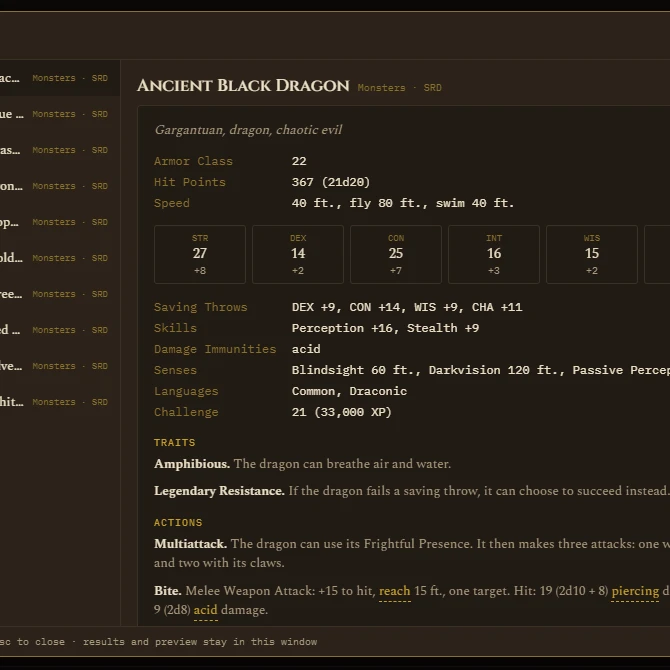
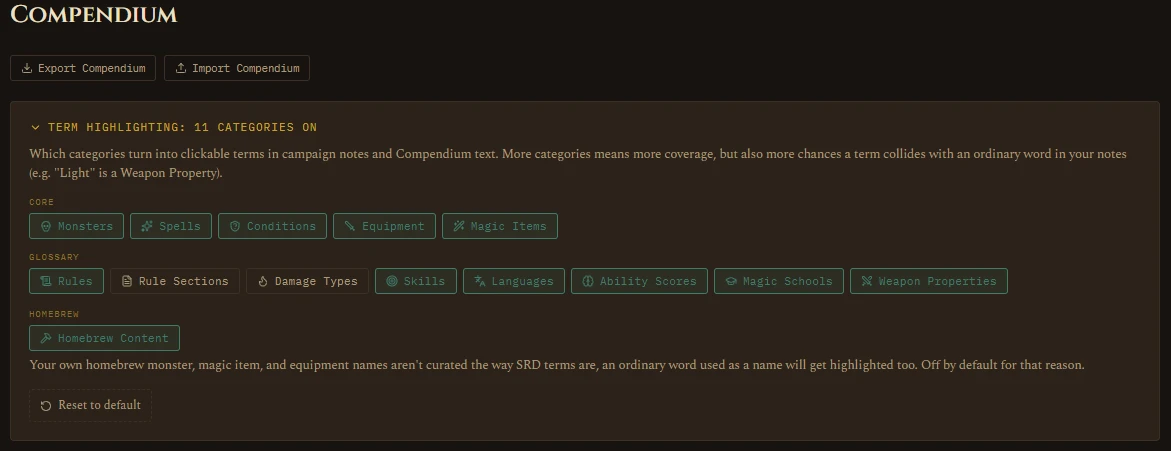
SRD terms mentioned inside a stat block or description (a condition, a monster name, an item) show up as clickable/hoverable links wherever they appear, in the Compendium itself, an NPC's linked monster, and a combat token's info panel, so you can check what a condition actually does without leaving where you are.
Compendium Settings has a Homebrew toggle, off by default, that extends this to your own homebrew monster, magic item, and equipment names too. It's off by default because homebrew names aren't curated the way SRD terms are, an ordinary word you happened to use as a name would get highlighted everywhere it appears in other text, so turn it on only if that's a tradeoff you want.
Quick search
Press Ctrl+K (or Cmd+K on Mac) from anywhere in the app to pull up a quick search without leaving what you're doing. It searches homebrew content too, not just the official SRD, and shows source alongside category on each result.