

Dalang - Campaign Dashboard is a tool for prepping and running a D&D campaign: writing the world and house rules, prepping locations and NPCs and jobs, running the actual session with a live battle map, and keeping a permanent record of what happened afterward. The live-session tools, the battle map and the Player Window, are built for playing in person or on a call, and it works just as well for async play / Play by Post. It comes two ways, and a campaign moves between them freely:

An app for Windows. Everything is stored in a local file on your machine, not in the cloud, so your notes and NPC secrets stay private and it works with no internet at all.
 Get Dalang on itch.io
Free, pay what you want.
 public beta
The same app in a browser, nothing to install. Campaigns live in a free account you can open from any computer. See Using Dalang Web.
Create a free accountFree during the beta.
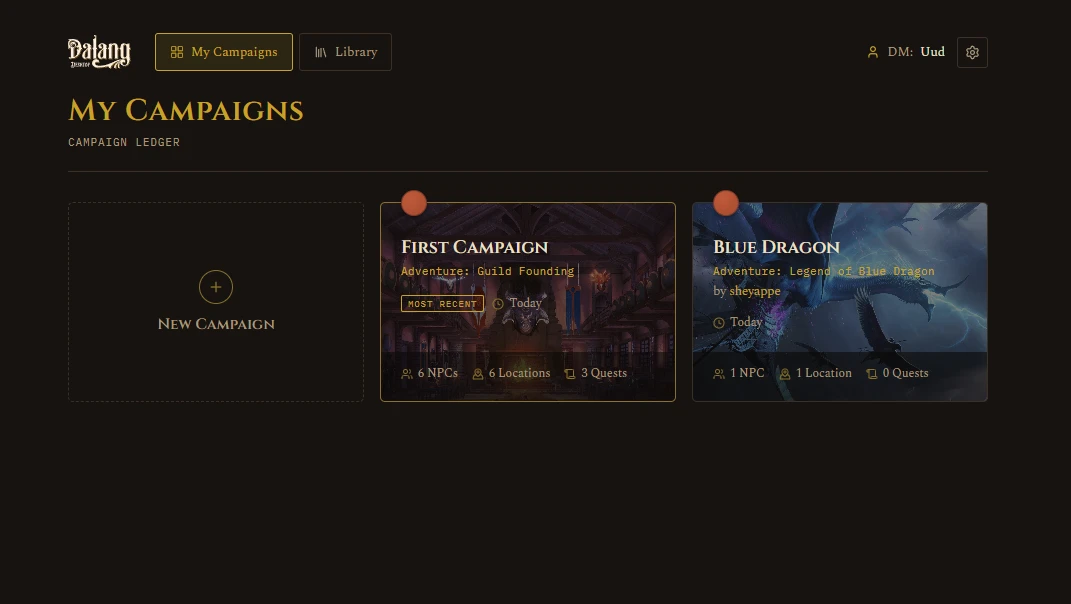
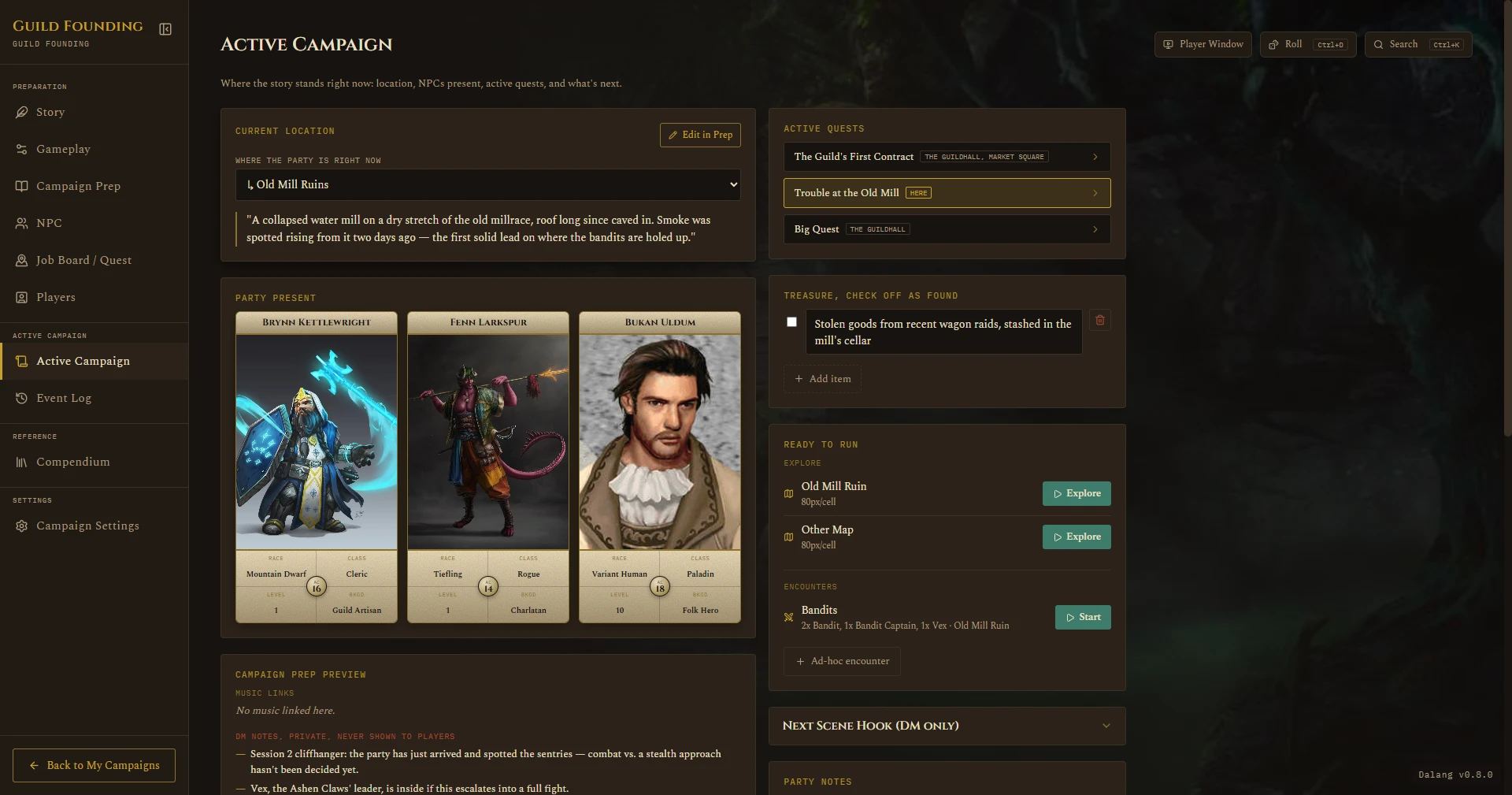
Screenshots throughout this guide are from a throwaway demo campaign (Guild Founding), not real campaign content.
What's new
v1.4.0
The headline is a full revamp of the DM's encounter map, the screen you spend most of a session looking at. Everything below applies to both Dalang Desktop and Dalang Web.
New features
- The encounter map is rebuilt around a fullscreen Live Run. Starting an encounter or exploration now opens the battle map straight to full screen, no scaffolded layout to click through first. A command bar across the bottom holds five tools, Move, Fog, Point, Draw, and Intel, each with its own options in a strip above it. The turn order expands into a full Initiative tray for editing HP, conditions, and hide-from-players per combatant. Ctrl+K opens a palette that jumps the camera to any combatant or runs a session command. A DM-controlled turn timer and a draggable Combat Log tray round it out. See Running a Live Session.
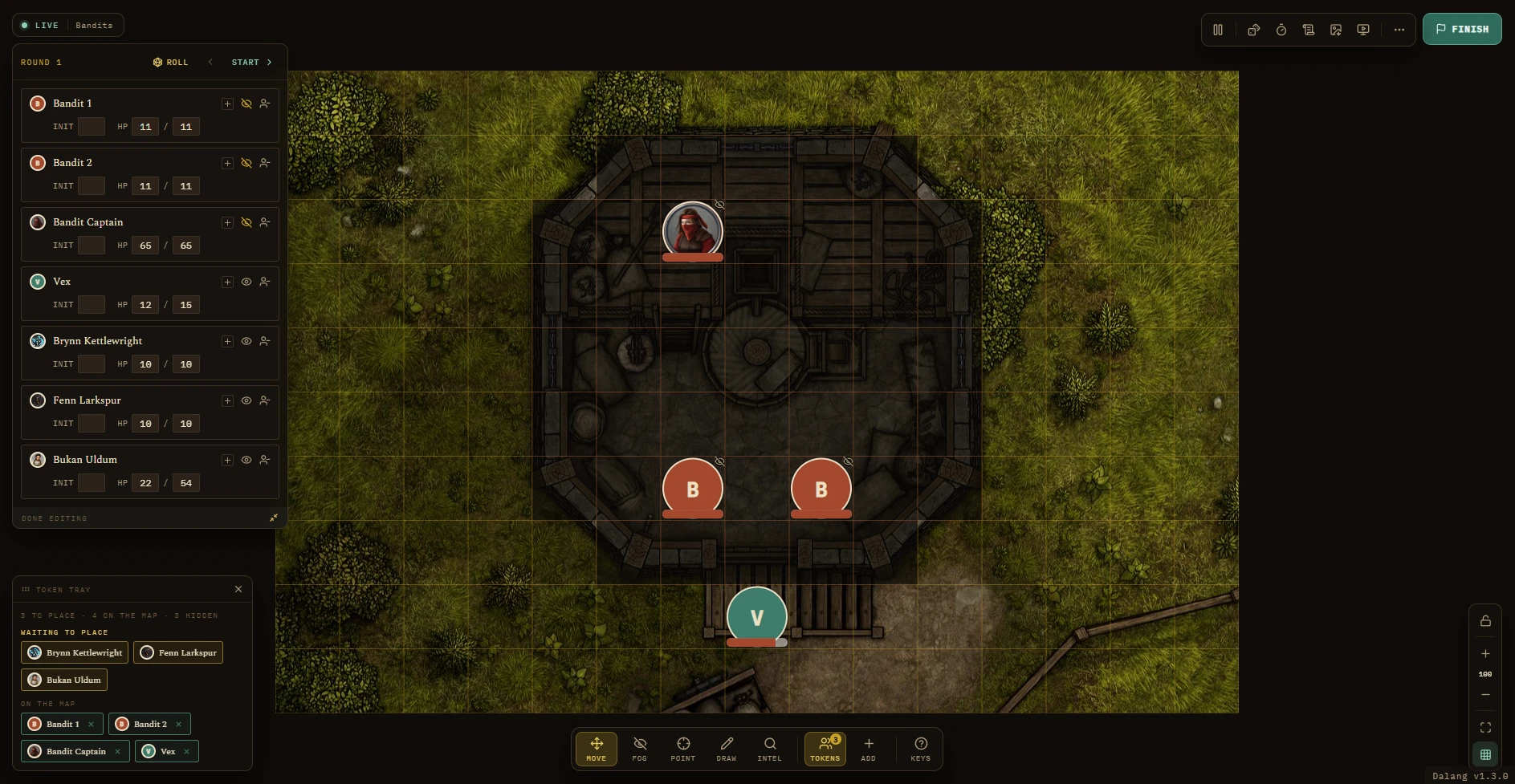
The fullscreen Live Run, the new home screen for a session. 
The command bar: Move, Fog, Point, Draw, Intel. - The Intel tool replaces the old HP-visibility menu: per category (Player, NPC, Monster), an HP toggle and a Stat toggle (read-only stat-block inspection for players, see below), plus a DM-wide choice for whether shown HP renders as a bar or a bar with the exact number. See Map tools during a run.

The Intel tool, open. - Battle maps can now be a looping video instead of a still image, a river that actually flows, a torch that flickers. Grid, tokens, fog, ruler, and drawing all work exactly the same on top of it. See Animated (video) maps.
A looping video map in play. - One Player Link button in the Dalang Web header, opening a panel: copy the link, a QR code to scan or copy as an image, open it in a new tab, and Reset link. Resetting creates a fresh link and switches the old one off, after a confirmation, for a link that has leaked or a player who has left the group. See Using Dalang Web.
- Players can pan and zoom the battle map on their own screen during a fight, by mouse or by pinch on a phone, without moving your camera. A "Follow DM" button snaps back to your framing. Works on the web player link and the desktop Player Window. See The Player Window.
- Let players inspect a token, the Intel tool's Stat toggle. Off by default, and set per category. When it is on, a player can click a token during an encounter to see a read-only stat block and active conditions, plus a character card for a player character. See Running a Live Session.
- Import from D&D Beyond now works in Dalang Web, not just Dalang Desktop. Paste a public character URL on the Players tab. See Players.
- The Player Tab has a new Ability Scores & Saving Throws section: type in the raw score, the modifier and (if proficient) the save bonus are calculated, not typed by hand, with proficiency bonus derived from Level. Existing characters keep showing their old stored modifier until a score is entered, nothing resets to blank. D&D Beyond import fills these in too. See Players.
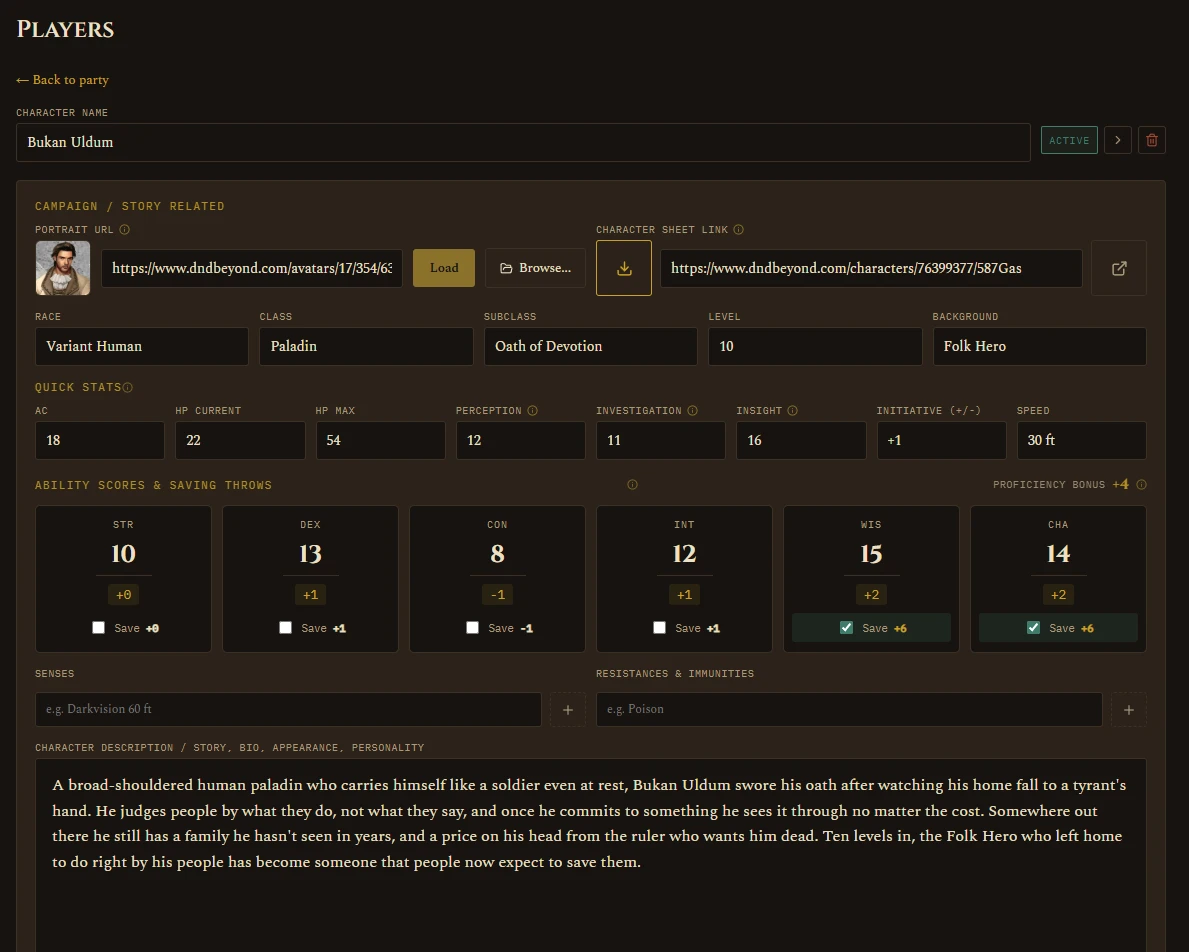
Ability Scores & Saving Throws, with the calculated Proficiency Bonus.
Content and safety
- The Dalang Web Terms of Use now list what content is not allowed and explain how to report content or ask for a takedown. See Legal & Sources.
- The sign-up checkbox now also confirms you are at least 13, and the public player view has a small "Report content" link.
v1.3.0
New features
- Dalang Web, a browser version of Dalang at dalang.page, now in public beta. Make a free account and your campaigns sync to it, so you can prep from any computer and run a session without installing anything. Dalang Desktop is unchanged and still works fully offline. See Using Dalang Web.
- Player Window position lock, a lock toggle on the map's bottom-right camera controls. Lock it and the Player Window holds its current view while you pan and zoom your own screen, so tokens on a table monitor stay lined up. Separate from Pause. See The Player Window.
- Player Window fullscreen, a toggle on the Player Window itself (F11 to toggle, Esc to exit). Hides the title bar and taskbar so the map fills a table monitor.
- A "From a File" starting point in the New Campaign box, next to Fresh Adventure and From Your Library. It takes an adventure file or a full campaign file and always adds a new campaign. Importing used to be buried on the Library screen.
Improvements & fixes
- Mouse-wheel map zoom now moves in small steps instead of jumping by roughly half again each notch, and the zoom percentage is a field you can type an exact number into. Applies to the battle map and grid calibration.
- One Export Campaign button replaces the separate "Move to Dalang Desktop" and "Move to Dalang Web" ones, they wrote the same file either way. It opens a chooser for Adventure or Full Campaign.
- The campaign's card image now travels with a Full Campaign export and import.
- Revealing or hiding fog of war on the Player Window now fades over about half a second instead of snapping.
- Guide and Feedback links moved from the top bar into the sidebar, each with a small arrow marking that it opens a browser tab.
- Print mode is reachable straight from grid calibration now, no Save & Close and reopen first.
- Image URL fields fall back to the placeholder icon when a URL doesn't load, instead of a blank box.
- App fonts are bundled with the app instead of loaded from Google's font CDN, no network call to Google at startup.
v1.2.0
New features
- Print your map for an offline session, no laptop needed at the table. Maps now export at true physical scale, 1 grid square = 1 inch, straight from the calibration you already did. Pick a paper size, position the page overlay, export a ready-to-print PDF. See Setting Up a Map.
Printing a map at true physical scale. 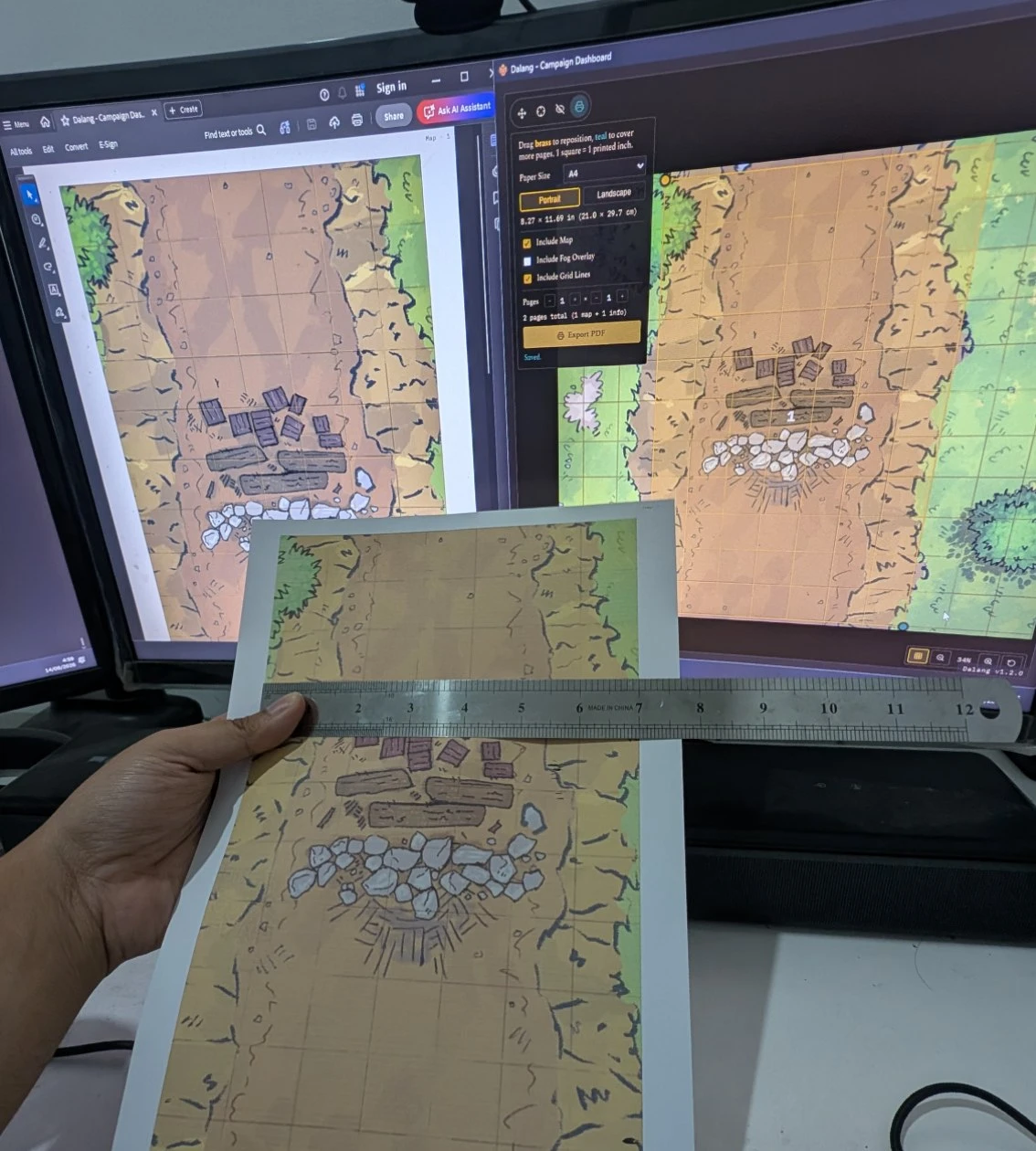
Not a mockup: an actual A4 print, ruler in hand, 1 grid square really does come out to 1 inch. - Share your campaign prep with your players, so they show up ready. The new Player Guide export builds a standalone HTML or PDF file, DM-curated: pick exactly which Story sections, Locations, NPCs, and Quests to include, preview it live, then export one file, no app install needed to read it. See Player Guide.
Building and exporting a Player Guide. - Added 2024 SRD content for Monsters, Spells, Conditions, and Weapon Properties, shown alongside the existing 2014 data with a filter to pick an edition. Equipment, Magic Items, and the rest of the reference are still 2014 only for now. See SRD 2014 vs. 2024.
Browsing 2024 SRD content in the Compendium.
Improvements & fixes
- Popups no longer close if you start a text selection inside one and release the mouse outside it.
- The main window can no longer be resized down to a broken, unusably small size.
Guide
Pick a page below, or use the sidebar to jump straight to a specific feature.